

Micro
Checking
Dedicated cores for smaller production workloads.
- CPU
- 2 Dedicated Cores
- Memory
- 8 GB DDR5
- Storage
- 200 GB NVMe
- Network
- 10 Gbps fair use
VDS plans
Compare dedicated cores, memory, NVMe storage, transfer, billing, and current availability before checkout.
Choose where your VDS will be deployed.
Miami and Dallas will become selectable when capacity is ready.
Choose how often you are billed.
Loading live VDS pricing and availability.
Dedicated cores for smaller production workloads.
Balanced dedicated compute for production services.
Additional headroom for CPU-sensitive workloads.
Higher allocation for sustained production use.
More cores and memory for intensive deployments.
Large dedicated-core allocation for demanding services.
Largest available VDS allocation.





Choose from supported Linux distributions, FreeBSD, and Windows Server. The deployment screen shows the versions currently available for your selected plan.
Deployment and control
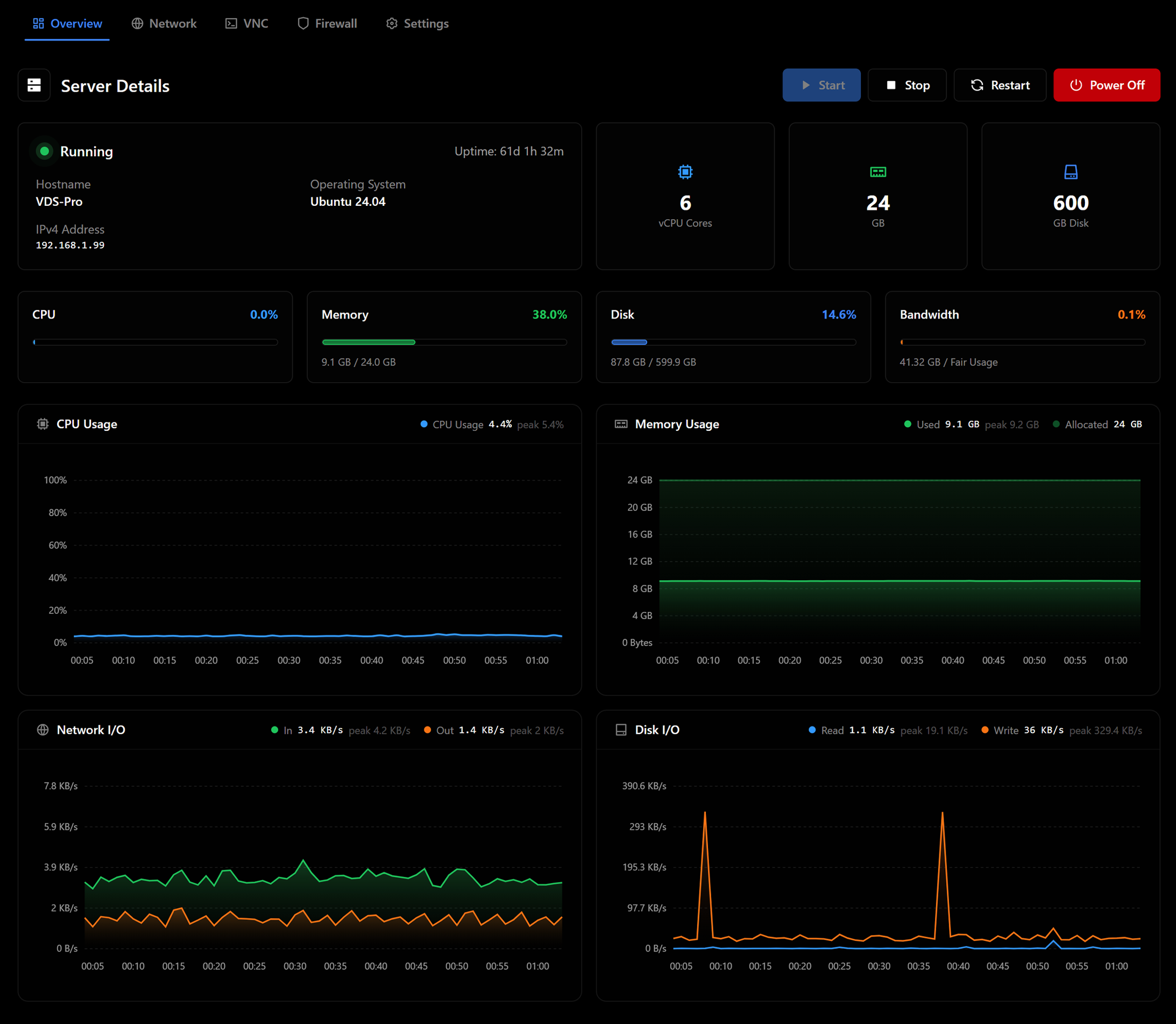
Check server status, use power controls, open the VNC console, manage firewall and network settings, and review resource usage in one place.
Client area
Power · console · network · usage
VDS questions
Review the basics or contact support for workload-specific questions.
VPS plans use shared virtual CPU. VDS plans provide dedicated CPU-core allocations for workloads that need steadier processor access.
The current VDS plans use the AMD Ryzen 9 9950X platform with DDR5 memory and NVMe storage. The exact allocation is listed with each plan.
New York Metro is currently available. Miami and Dallas are planned but are not yet selectable at checkout, and no launch dates have been announced.
Each current VDS plan lists DDoS protection. Review the service and plan terms for the applicable scope.
Review the changes available in the client area or contact support. Some changes may require a restart or maintenance window.
The deploy screen shows the operating-system images and versions available for the selected plan.
Compare dedicated-core allocations, memory, NVMe storage, network terms, and current availability before you configure.